
Introduction:
A 12V battery cover 3D printed can be a game-changer for anyone interested in solar power, RC hobbies, or do-it-yourself projects. It’s crucial to safeguard your battery while maintaining durability, accessibility, and ventilation. In this guide, we combine practical advice with expert knowledge to explore the design, printing, and application of a bespoke 12V battery cover using 3D printing.
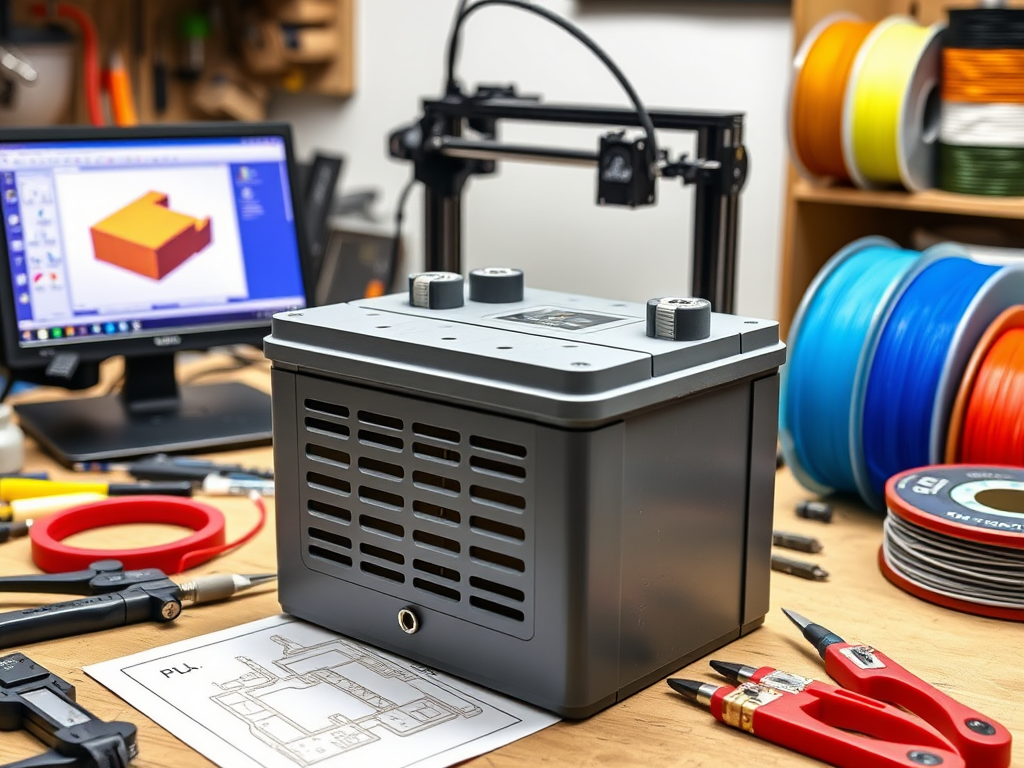
Why Make a 12V Battery Cover Using 3D Printing?
Creating your own 12V battery box via 3D printing has several benefits over purchasing a pre-made one.
- Custom Fit: Adjust the cover to fit the model or setup of your battery.
- Material Control: Based on flexibility and heat resistance, select PLA, ABS, PETG, or TPU.
- Cost-effectiveness: Do it yourself instead of purchasing proprietary parts to save money.
- Creative Freedom: To fit your system, add vents, cable notches, or branding designs.
- Rapid prototyping allows for easy testing of many iterations.
- Possibility of Learning: Acquire 3D printing, prototyping, and CAD modeling proficiency.
Applications for a 12V Battery Cover Made with 3D Printing
- RC Vehicles: Battery cages for RC boats or automobiles that are safe and well-ventilated.
- Solar Projects: Battery covers that are certified for outdoor use in off-grid or solar-powered gadgets.
- Handy Power Packs: Sturdy container for do-it-yourself portable battery boxes.
- Robotics: Include battery protection in Internet of Things devices or self-governing robots.
- Vehicle modifications include adding custom enclosures to ATVs, motorbikes, or car constructions.
- Camping Equipment: Weatherproof power boxes for tools or portable lights.
- Emergency Backup Systems: UPS or backup power source, battery compartments that are neatly arranged.
Starting Out: Required Equipment & Supplies
Get the following before starting your 3D print project:
- Tools: FDM-recommended 3D printer
- Caliper for precise measurements of batteries
- Software for slicing (such as PrusaSlicer and Cura)
- Materials: Filament (ABS/PETG for higher temperatures, PLA for indoor use)
- CAD software (FreeCAD, TinkerCAD, or Fusion 360)
- STL file (custom-designed or downloaded)
- If necessary, use hardware or super glue for assembly.
How to Create a Unique Cover for a 12V Battery
If you require a customized fit or are unable to locate a pre-made STL file online, creating your own is easy if you follow these steps:
- Take precise measurements
- Measure the height, breadth, and length of the battery.
- Consider the distance between terminals, cables, and insulation.
- Take into account additional space for mounting and airflow.
- Make use of CAD software.
- Make a model of a rectangular enclosure with screw-on or snap-fit lid choices.
- As necessary, add mounting tabs, terminal cuts, or vent holes.
- If the battery is positioned horizontally or vertically, include support structures.
- STL export
- To slice and print, export the design in STL format.
- Bonus Tip: You may download and remix user-uploaded designs from websites like Thingiverse and Printables.
The Best Filament for Covering Batteries
Selecting the appropriate filament affects both safety and durability:
- PLA: Simple to print on, but not the best for hot conditions.
- ABS: Sturdy and heat resistant, but warps easily.
- PETG: A fantastic all-around option that is heat-tolerant and durable.
- TPU: For tough use, it is flexible and shock-resistant.
Pro Tip: Because PETG is strong, flexible, and heat resistant, it should be used for the majority of applications.
Tips for 3D Printing Battery Covers
- 30–50% infill is necessary for structural strength.
- The wall thickness should be at least 1.2 mm for endurance for three walls.
- Use supports if overhangs are more than 45 degrees.
- Ventilation: To release accumulated heat, install vent holes.
- Orientation: Print flat sections with the most surface area downward for improved adherence.
- Bed Adhesion: Use a raft or brim to improve print success with ABS or PETG.
Safety Factors
Safety must be the first priority for battery covers:
- Batteries should not be fully enclosed without ventilation.
- Don’t restrict access to terminal or battery management systems (BMS).
- If the battery region gets really hot, stay away from PLA.
- Steer clear of metal inserts unless adequately insulated, and use non-conductive materials instead.
Safety from Fire
When designing for lithium batteries, thermal relief vents or f
uses should always be included. Consider including room for LED indicators and BMS wire.
Case Study on Real-World Uses: Solar Power Bank Enclosure
John, who loves living off the grid, 3D printed a unique 12V battery case for his portable solar bank using PETG. Compared to commercial solutions, he saved $60 and secured his LiFePO4 battery with built-in vents and a snap-fit top.
RC Hobbyist Construction
Lisa needed a sturdy yet lightweight cover for the 12V battery in her RC buggy. She added slots for Velcro straps and printed one in TPU. It survived several tumbles and three races.
Storage of Workshop Tools
Mark created a specially made bench power supply that included a 12V battery cover. His printed cover has rubber feet to keep it from slipping and screw holes for a solid fastening.
Upkeep and Improvements
- Examine Frequently: Look for loose fitting, warping, or cracks.
- Upgrade Frequently: As your abilities advance, rebuild with improved features or ergonomics.
- Modular Design: To make maintenance easier, think about creating distinct sections.
- Heat Management: To guarantee longevity, check the airflow surrounding your battery.
- Cable Management: Include clamps or wire guides in your design.
READ MORE – Ultimate Guide to X-Rated 3D Printer Files & Printing Tips
Resources, Both Internal and External
- Inside:
- An Introduction to 3D Printing
- Comparison of PETG and ABS Filaments
- How Snap-Fit Parts Are Designed
- External:
- Projects for Thingiverse Batteries
- The PETG Hackaday Battery Enclosure Guide by All3DP
FAQs:
- Is it possible to print a 12V battery cover using PLA?
Yes, but only for indoor, low-heat uses. When exposed to high temperatures, PLA may distort. - Where can I locate STL files for 12V battery covers?
Both free and paid STL files are available on websites such as Thingiverse, Cults3D, and Printables. - Which 3D printer is ideal for this type of project?
Any FDM printer whose build volume matches the size of your design. One well-liked and reasonably priced choice is the Ender 3. - How can I make sure the battery is securely inserted?
Get exact battery measurements with a caliper, then add 0.5–1 mm of clearance to your 3D model. - Is it possible to make my 3D-printed battery cover waterproof?
Indeed. Use ABS or PETG with sealed connections, and you can optionally add epoxy or silicone to the seams.
Conclusion:
A 3D-printed 12V battery cover project can let you express your creativity, save money, and safeguard your equipment. Creating and printing your own enclosure enhances the value and satisfaction of your project, whether you’re working on a DIY power box, solar setup, or RC car. With the correct equipment, supplies, and safety measures, any maker can complete the task.
Take advantage of your next 3D print to hone your CAD modeling abilities, try out new methods, and experiment with other materials. The development of 3D printing makes it easier than ever to create high-quality, functioning enclosures.